
Free AI Clothes Changer: What You Can Try on AI Outfit Changer
Understand the free previews, account requirements, daily credit eligibility and watermark rules at ai-outfitchanger.com before trying an outfit.
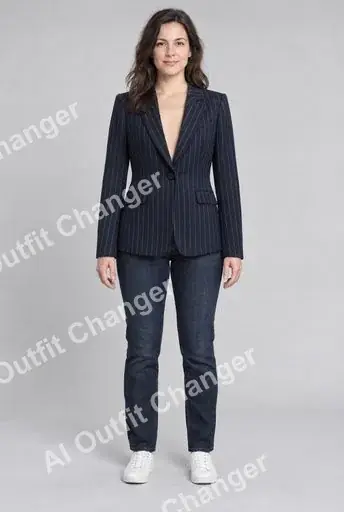
You can try changing clothes in a photo on AI Outfit Changer with a free account. Free Preview offers up to three watermarked previews per day, with a longest edge of no more than 512 pixels. Eligible accounts can separately claim ten daily credits, enough for one new Essential Try-On result without a visible watermark.
These are two different allowances. Understanding the difference helps you choose the right mode before uploading your pictures.
What does “free” include?
A free tool may offer a preview, introductory credits or a recurring allowance. The important question is what you can generate and download under the terms displayed in the editor.
AI Outfit Changer uses the following two modes:
| Requirement | Free Preview | Essential Try-On |
|---|---|---|
| Account | Sign-in required | Sign-in required |
| Input | One person photo and one garment reference | One person photo and one garment reference |
| Generation allowance or cost | Up to three previews per day | Ten credits per new result |
| Visible watermark | Included | No visible preview watermark |
| Resolution | Longest edge up to 512 pixels | Requests 1K generation; actual dimensions may vary |
| Optional styling notes | Unavailable | Supported |
A credit card is not required to try Free Preview or claim daily credits when your account is eligible. Paid plans provide additional credits; check the pricing page if you need more generations.
How daily credits work
Daily credits are separate from the three-preview allowance. Sign in, open the tool and check your claim status. Eligible accounts can claim ten credits after completing the security check. Those credits expire at the next UTC midnight and do not accumulate.
Account eligibility and previous claims can affect availability. Read the status shown in your account rather than assuming that every account receives credits indefinitely. If a claim is unavailable, repeating the request does not establish eligibility.
Ten available credits can fund one Essential Try-On. That result is generated again from your person photo and clothing reference. It can differ from an earlier Free Preview.
Make each preview useful
Prepare a clear picture of one person and a reference image showing the garment you want to try. Both uploads support JPEG, PNG and WebP, with a two-MiB limit per image. Convert an HEIC photo to a supported format before uploading.
Keep the same person photo when comparing outfits. Change one garment reference at a time, then inspect the overall colour, silhouette and clothing boundaries. The 512-pixel preview is useful for a first visual check, but small lettering or fine fabric details may be difficult to judge.
If a result looks wrong, inspect your inputs before spending another attempt. A cropped sleeve or an obscured clothing area gives you less visual information to compare. Improving the reference is often a more useful next experiment than repeatedly generating from the same unclear image.
Can I remove the watermark from a saved preview?
AI Outfit Changer does not turn a saved Free Preview into a clean original. Choose Essential Try-On and use ten credits to request a new image. Review that new result independently, because its details may change.
Can I use a preview to choose a size?
A generated picture can help you explore a look. It does not measure your body, calculate fabric stretch or establish how a garment will fit. For a purchase, check the seller’s measurements and size chart separately.
A watermark-free result also does not establish commercial permission. The current terms and the rights to your uploaded images still matter.
Read the free try-on guide, then open the clothes-swap tool with your person photo and garment reference ready. Check the selected mode and your remaining allowance before generating.