
Free AI clothes changer
Free AI Clothes Changer
Sign in with a free account to try up to 3 watermarked previews a day. Eligible accounts can claim 10 daily credits after a security check for one new watermark-free Essential Try-On. No credit card is required to try.
Your virtual fitting room
Change the look. Keep the person.
A free account is required for every generation, including Free Preview.
Up to 2 MB per imageJPG, PNG or WebP
3 · Choose your result
A watermarked preview with a longest edge of up to 512 px. Add one outfit image; styling notes are not available in this tier.
Eligible accounts can claim 10 daily credits—enough for one watermark-free Essential Try-On. Check your claim status below.
Daily credits expire at 00:00 UTC and do not roll over.
Garment area
Actual generated examples
Compare a free preview with an Essential result
These examples use synthetic images of one fictional adult and actual model outputs. They are a small set of test cases, not a promise that every photo or garment will produce the same result.
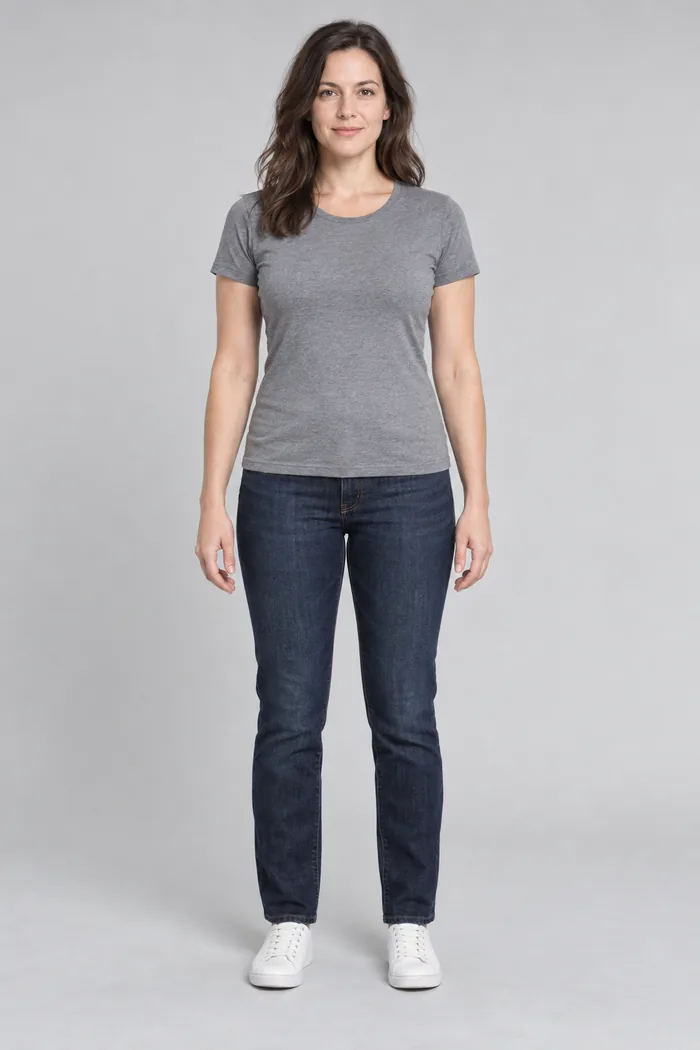
Person
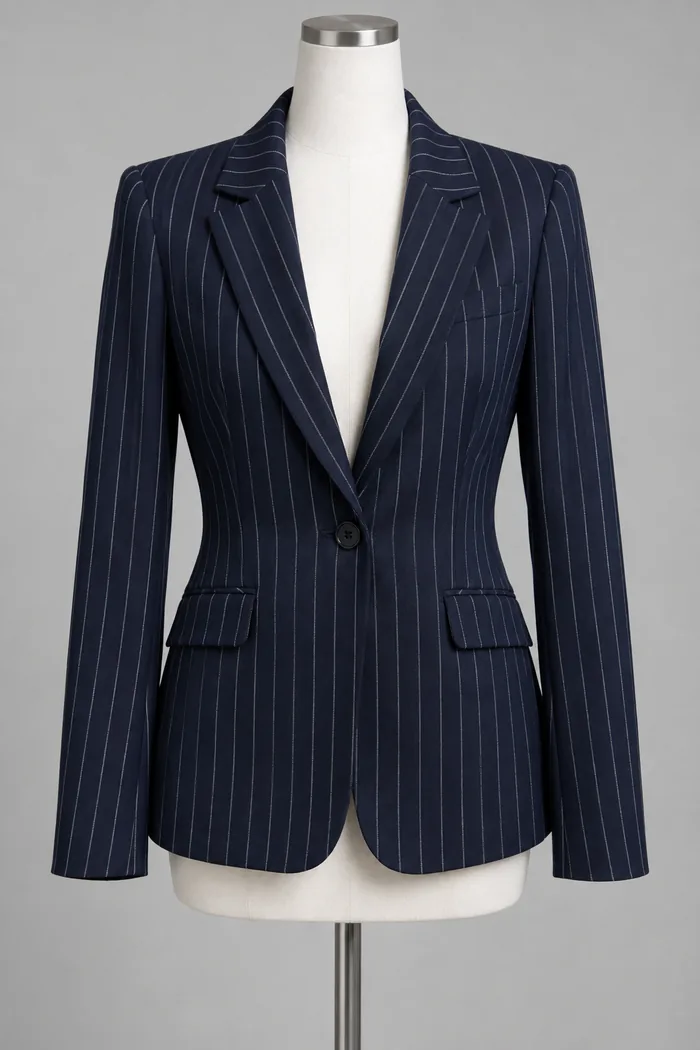
Garment
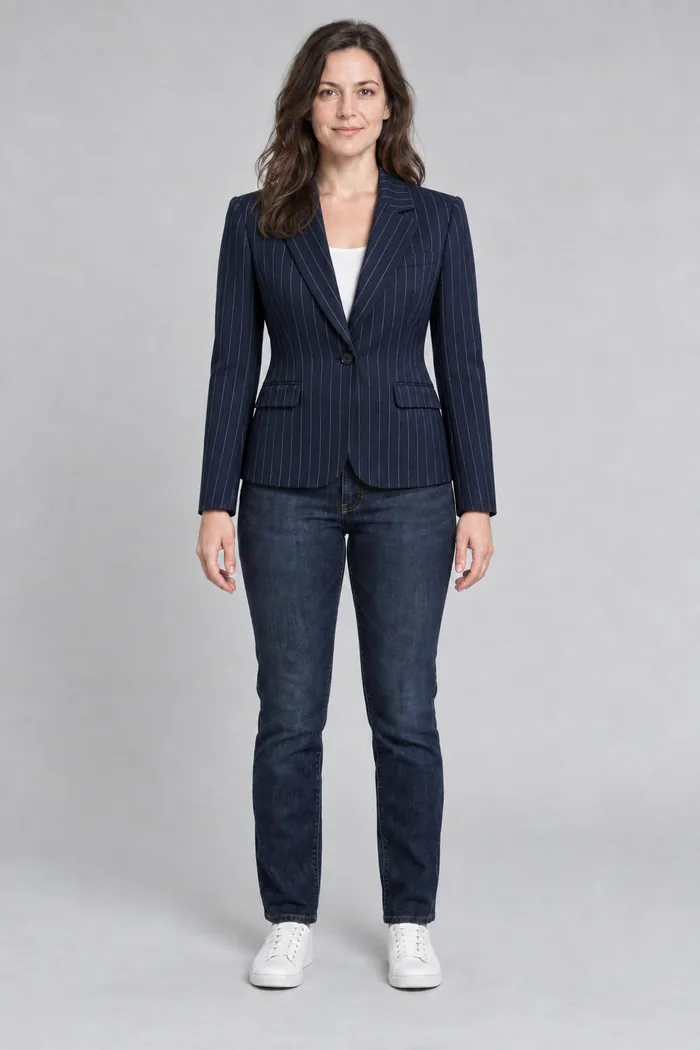
Essential
Pinstripe blazer
The blazer shape and narrow stripe pattern remain visible, but the neckline differs from the flat garment reference.
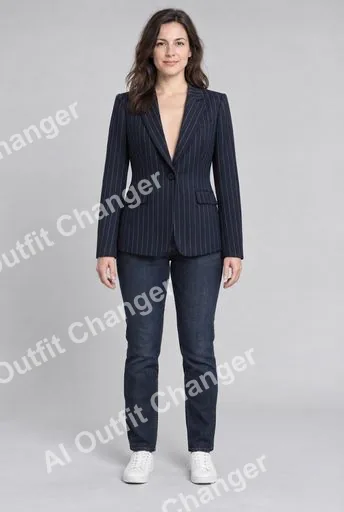
Free preview
Essential
What you can try with a free account
A free AI clothes changer is useful when you want to explore a garment in your own photo before deciding whether to spend credits. This tool has two generation modes with different limits and outputs. Both require a signed-in account and a person photo plus a clothing reference. The free preview allowance is separate from your credit balance. Check the selected mode before generating so that the result matches your immediate goal.
Choose between a preview and an Essential result
Free Preview
Use this mode for an initial visual comparison. You can generate up to three watermarked previews per day. The preview’s longest edge is no greater than 512 pixels, making it suitable for reviewing a broad outfit idea rather than fine print. The watermark is part of this output. A preview does not spend the ten credits required by Essential, but it has its own daily allowance.
Essential Try-On
Each new result costs ten credits. This mode requests 1K generation, has no visible preview watermark and supports styling notes. You can use eligible daily credits or other available credits in your account. Essential is a separate generation request, so the composition and garment details may differ from a preview. A higher requested resolution does not guarantee that logos, text or every fabric detail will be reproduced accurately.
How to claim daily credits
Sign in and open the tool, then complete the security check used for the daily claim. Use the claim control and confirm the balance shown in your account before choosing Essential. Eligible accounts can claim ten daily credits, enough for one Essential request. Signing in alone does not claim credits; check the current balance and claim status in the tool.
The tool shows the current claim status and eligibility. Account eligibility limits can apply, so this guide does not promise an unlimited lifetime supply of free credits. If the claim is unavailable, check the displayed status rather than repeating the request. You can still use remaining preview allowance or available account credits according to the limits shown.
UTC midnight is the daily boundary
Daily credits expire at the next 00:00 UTC and do not accumulate across days. Your local calendar may show a different time: in China, that boundary is 08:00. Claiming shortly before the UTC boundary leaves less time to use the credit. Check your balance and the tool’s daily status before starting. Do not save a daily claim expecting it to join tomorrow’s allowance; unused daily credits are not a growing credit pack.
Generate a new image without the preview watermark
To make a watermark-free result, keep your prepared person and garment photos, choose Essential Try-On and confirm that you have ten available credits. Add styling notes if they help describe the intended look, then start the new generation. Download the Essential result after it completes. This process does not unlock or erase the watermark in a previously downloaded preview. Compare the new output with your references again rather than assuming it will exactly match the earlier preview.
Make each free attempt useful
Choose a single person in even light with the clothing area visible. Select a reference that clearly shows the garment’s neckline, sleeves, shape and hem. A simple pose and uncluttered clothing image reduce ambiguity. Both files must use JPEG, PNG or WebP, with a maximum size of 2 MiB each. Convert a phone’s HEIC image first, and avoid compressing until a pattern becomes unreadable.
Use your first preview to check the overall colour and silhouette. If an edge is distorted or the reference is hard to identify, improve the input before trying again. Keep the person image consistent when comparing clothes, and change one reference at a time. Do not spend all attempts on tiny changes that the preview resolution cannot reliably show. Inspect hands, garment borders, text and printed details before using any output.
Understand the boundaries of a free try-on
The free allowance does not mean anonymous generation, unlimited previews, a guaranteed instant result or an accurate measurement of fit. You need rights to the uploaded photographs and the person’s likeness. A watermark-free download does not automatically grant commercial permission: read the current Terms of Service before publishing or selling an image. Uploads and saved generations are not a public gallery; storage and processing are governed by the Privacy Policy. Use real measurements and product photographs to confirm material, condition and physical fit.